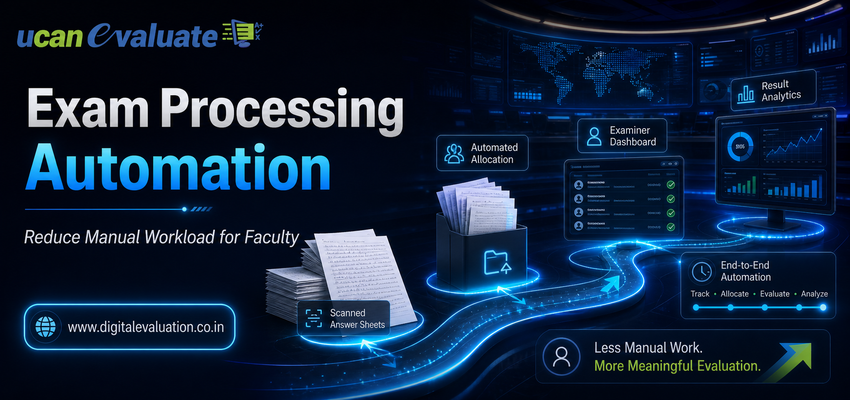
An examination may last only a few hours for a student. For faculty members and examination teams, however, the work can begin weeks before exam day and continue long after the last answer booklet has been submitted.
Student records need verification. Questions must be prepared and approved. Examination schedules have to be coordinated. Answer scripts must be collected, tracked and distributed. Evaluators need allocation. Marks require verification. Results must finally be processed and published.
When these activities depend on spreadsheets, emails, paper registers and repeated manual follow-ups, faculty members can end up spending valuable academic time on administrative examination work.
This is exactly where Examination Processing Automation can make a meaningful difference.
By connecting examination preparation, assessment delivery, answer-script digitisation, Digital Evaluation and result processing within structured workflows, universities can reduce repetitive work without removing academic control from faculty members.
The objective is not to automate academic judgement.
The objective is to automate the administrative workload surrounding it.
What Is Examination Processing Automation?
Examination Processing Automation is the use of technology-driven workflows to manage repetitive activities across the examination lifecycle.
Instead of manually transferring information between departments, spreadsheets and independent applications, a connected University Examination System can allow data to move with the examination process.
A typical automated workflow can connect:
1. Student and examination registration
2. Subject and course mapping
3. Examination scheduling
4. Question preparation and approval
5. Assessment delivery
6. Answer-script management
7. Digital evaluation
8. Moderation and verification
9. Marks and result processing
This turns examination administration from a series of isolated tasks into a coordinated digital workflow.
Why Does Faculty Workload Increase During Examination Cycles?
The biggest examination workload is often not created by one large activity.
It comes from hundreds of small administrative tasks repeated across thousands of students.
A faculty member may need to verify student lists, exchange question-paper versions, respond to examination-cell emails, receive answer-script bundles, maintain marks records, calculate totals, identify unanswered questions, return evaluated scripts, participate in moderation and respond to revaluation requests.
Even when each activity takes only a few minutes, the combined workload can become substantial.
Examination automation addresses this problem by identifying processes where technology can handle routine coordination while faculty continue to make the decisions requiring subject expertise.
1. Automating Pre Examination Processing Reduces Repetitive Administrative Work
Efficient examinations begin long before students enter the examination hall.
Pre Examination Processing can include student registration, eligibility verification, subject mapping, examination scheduling, centre allocation, roll-number generation, admit cards and examiner configuration.
When departments maintain separate records, the same information may need to be checked or entered multiple times.
Automation creates a structured source of examination data that can continue into later stages of the examination lifecycle.
Instead of repeatedly asking faculty members to verify spreadsheets or send updated files, examination administrators can work through predefined digital workflows.
Faculty involvement then becomes more focused on academic validation rather than administrative data movement.
2. Question Bank Management Simplifies Question Preparation
Question-paper preparation is another faculty-intensive activity.
Questions may need to be created, classified, reviewed, moderated and approved before a final paper is generated.
A structured Question Bank Management environment can help maintain a reusable repository in which questions are organised according to parameters such as subject, unit, difficulty level, marks, question type and learning objective.
This can support a more organised process in which faculty members focus on question quality rather than repeatedly searching through files, previous papers and email attachments.
Digital approval workflows can also provide clearer visibility into which questions have been drafted, reviewed or approved.
The result is not less faculty involvement.
It is more meaningful faculty involvement.
3. Online Assessment Can Reduce Examination Administration
For examinations conducted digitally, technology can automate several operational activities surrounding assessment delivery.
Online Assessment can support technology-enabled testing in which examination configuration, question delivery, response capture and assessment-related information are managed digitally.
A connected Online Examination System may support candidate authentication, scheduling, timed examinations, controlled question access and electronic response submission.
When these processes connect with existing examination records, administrators can avoid repeatedly transferring candidate and assessment information between unrelated systems.
For faculty members, this means less time spent resolving routine administrative issues and more time available for assessment design and academic review.
4. Answer Booklet Scanning Removes Physical Script Movement From Evaluation
Automation does not mean universities must immediately stop conducting handwritten examinations.
Paper-based examinations can continue while the evaluation workflow becomes digital.
The bridge between the two is Answer booklet scanning.
After an examination, physical answer scripts can be scanned, indexed and converted into controlled digital copies.
Proper Scanning of Answer Sheets helps ensure that scripts are complete, readable, correctly sequenced and mapped before evaluation begins.
Instead of physically transporting bundles of answer booklets between examination centres, departments and evaluators, authorised users can work with controlled digital scripts.
This removes one of the most logistics-heavy components of traditional evaluation.
Faculty members no longer need to spend their evaluation time managing physical bundles before they can begin marking.
5. An On Screen Evaluation System Makes Script Allocation Easier
Once answer booklets have been digitised, they can move directly into an On Screen Evaluation System.
Through On Screen Evaluation, authorised evaluators can access allocated answer scripts digitally rather than receiving physical bundles.
An effective On-Screen Evaluation workflow can support:
1. Digital evaluator allocation
2. Controlled access to scripts
3. Question-wise navigation
4. Digital annotations
5. Marks entry
6. Evaluation-progress tracking
7. Moderation and review workflows
This can significantly simplify coordination for both faculty members and examination administrators.
The examination cell can see workflow status without repeatedly calling individual evaluators for updates, while faculty members can concentrate on evaluation instead of script movement and paperwork.
The terms On Screen Evaluation System, On-Screen Evaluation System and sometimes On- Screen Evaluation System are used for this broader digital evaluation approach.
6. On Screen Marking Reduces Manual Marks Management
Traditional answer-script evaluation often involves more than reading answers.
Evaluators may also need to maintain question-wise marks, calculate totals, identify missed responses and transfer marks to separate records.
On Screen Marking brings these activities into a structured digital interface.
Through an On Screen Marking System, evaluators can enter marks while reviewing the digital script.
An On-Screen Marking System can also apply predefined controls such as maximum marks, completion validation and question-wise marking rules.
This helps reduce repetitive arithmetic and administrative checking surrounding the actual academic judgement.
Faculty still decide how an answer should be evaluated.
The system simply helps manage what happens around that decision.
7. A Digital Evaluation System Connects Evaluation, Review and Moderation
The real advantage of digital marking appears when individual evaluation activities become part of a broader Digital Evaluation System.
Instead of treating answer-sheet scanning, evaluator allocation, On-Screen Marking and moderation as separate activities, a Digital Evaluation workflow can connect them.
Administrators can gain visibility into questions such as:
• How many scripts have been scanned?
• How many have been assigned?
• How many have been evaluated?
• Which evaluators still have pending scripts?
• Which cases require moderation?
• Which papers are ready for marks processing?
This replaces repeated manual status collection with workflow visibility.
For faculty members, fewer status requests and administrative follow-ups can mean a less disruptive examination cycle.
8. Post Examination Processing Can Remove Repetitive Marks Handling
Finishing evaluation does not mean the examination process is complete.
Marks may still require verification, moderation, compilation, academic-rule processing, result calculation, approval, revaluation and final publication.
This is where Post Examination Processing becomes critical.
When marks are already captured digitally through On Screen Marking, they can flow into subsequent processing stages without repeatedly being copied from answer booklets to mark sheets and then into another system.
Automation can therefore reduce repetitive data handling while creating a more traceable examination workflow.
It can also make retrieval easier when authorised teams need to handle scrutiny, rechecking or revaluation cases.
9. Connecting the Complete University Examination System Creates the Biggest Efficiency Gain
Automating one activity can solve one problem.
Connecting the complete examination lifecycle can solve something bigger: fragmentation.
A modern examination workflow can operate as:
Pre Examination Processing → Question Bank Management → Written Examination or Online Examination System → Answer Booklet Scanning → On Screen Evaluation → On Screen Marking → Digital Evaluation → Post Examination Processing → Result Publication
Each stage generates information required by the next.
When these stages operate independently, information has to be exported, emailed, copied, verified and imported repeatedly.
When they operate as part of a connected University Examination System, examination information can move through predefined workflows.
A broader University Management System can further connect examination activities with relevant institutional and academic records.
That is where examination automation produces its greatest operational value.
What Should Automation Handle—and What Should Faculty Still Control?
Effective examination automation should not attempt to remove academic judgement from the process.
Technology is best used for repetitive, rule-based and trackable activities.
Automation can support allocation, workflow routing, data validation, scanning, progress monitoring, marks transfer, reporting and status tracking.
Faculty should continue to control activities requiring academic expertise, including question quality, subject-specific evaluation decisions, moderation judgement, exceptional cases and academic approval.
This distinction is important.
A successful Digital Evaluation strategy does not replace educators.
It removes unnecessary administrative friction around their work.
How Universities Can Begin Examination Processing Automation
Institutions do not necessarily need to digitise everything at once.
A practical transition can begin by identifying where faculty and examination teams currently spend the most time on repetitive tasks.
Universities can start by asking:
1. Where is information being entered more than once?
Duplicate data entry is a strong indication that workflows are disconnected.
2. Where do faculty members depend on emails or spreadsheets for examination coordination?
These processes are often suitable candidates for structured workflows.
3. Where are physical documents creating delays?
Answer-script movement and manual records can create significant administrative dependencies.
4. Which processes require repeated status follow-ups?
A central dashboard can reduce the need for manual tracking.
5. Can evaluation data move directly into result processing?
Connecting Digital Evaluation with Post Examination Processing can remove several repetitive steps.
The objective should be gradual but connected transformation rather than simply purchasing isolated digital tools.
How Learning Spiral Ltd. Supports Examination Automation
Learning Spiral Ltd. helps universities, education boards and examination bodies modernise examination and assessment workflows through technology-driven solutions.
The examination ecosystem can support requirements across Pre Examination Processing, Question Bank Management, Online Exam Solution, Online Examination System, Online Assessment, Answer booklet scanning, Scanning of Answer Sheets, On Screen Evaluation, On-Screen Evaluation, On Screen Marking, Digital Evaluation and Post Examination Processing.
By connecting these activities, institutions can work toward an examination environment with less repetitive administration, better workflow visibility and more structured academic processes.
For faculty members, the benefit is simple:
Spend less time managing the examination process—and more time contributing where academic expertise matters most.
Frequently Asked Questions
What is Examination Processing?
Examination Processing refers to the activities required to plan, conduct, evaluate and complete an examination cycle. It can include Pre Examination Processing, examination administration, answer-script management, Digital Evaluation and Post Examination Processing.
How does an On Screen Evaluation System reduce faculty workload?
An On Screen Evaluation System digitises answer scripts and makes them available to authorised evaluators electronically. This reduces dependency on physical answer-booklet distribution, manual marks records and repeated administrative tracking.
Is Digital Evaluation only suitable for online examinations?
No. Traditional handwritten examinations can continue to be conducted. Answer scripts can subsequently undergo Answer booklet scanning and be evaluated digitally through an On-Screen Marking workflow.
What is the difference between On Screen Evaluation and On Screen Marking?
On Screen Evaluation describes the wider process of evaluating digitised answer scripts. On Screen Marking refers more specifically to the activity through which evaluators review responses and enter marks digitally.
Can examination automation work with existing university systems?
A well-designed examination platform should support integration with relevant university and academic systems. Integration is important because disconnected applications can recreate the manual data-transfer problems that automation is intended to solve.
The Future of Examination Work Should Be Less Administrative
Faculty time is one of a university’s most valuable academic resources.
Using that time for repetitive data entry, physical script management, marks transfer and status coordination creates an unnecessary administrative burden.
Examination Processing Automation offers a different model.
Routine processes can become digital and trackable. Answer scripts can move electronically. Evaluation can become structured through On-Screen Evaluation. Marks can move into Post Examination Processing. Administrators can monitor progress without constantly requesting updates.
Most importantly, faculty can remain focused on the responsibilities that genuinely require academic expertise.
That is the real purpose of examination automation—not simply making examinations digital, but making the complete examination process easier to manage.