What This Article Covers
- What an on-screen marking system actually is
- Where examiner time really goes in paper-based evaluation
- The specific productivity levers on-screen marking pulls
- Manual evaluation vs on-screen marking, side by side
- A readiness framework to decide if your institution should switch
- Common pitfalls universities hit when rolling this out
- The productivity and cost math, phase by phase
- FAQs examination administrators actually search for
Introduction
A mid-sized university running semester exams for 25,000 students typically engages 300–400 examiners across departments. On paper, each examiner checks roughly 25–30 scripts a day when you account for sorting, mark-sheet totaling, transport delays, and re-checking arithmetic errors. That is not a marking problem — it is a workflow problem sitting on top of the marking.
Move the same examiner to a well-configured on-screen marking system, and daily throughput typically rises to 40–50 scripts, because every non-marking task — bundling, allotment, manual totaling, transit — either disappears or runs in the background. Multiply that gap across a few hundred examiners and a five-week evaluation cycle, and the difference between paper and digital isn’t incremental. It compounds into weeks of saved time and a result date universities can actually commit to in advance.
This piece is not about persuading you that digital evaluation is inevitable — most Controllers of Examinations already know that. It’s about exactly where an on-screen marking system reclaims examiner time, and where institutions lose those gains if the rollout is handled carelessly.
What Is an On-Screen Marking System?
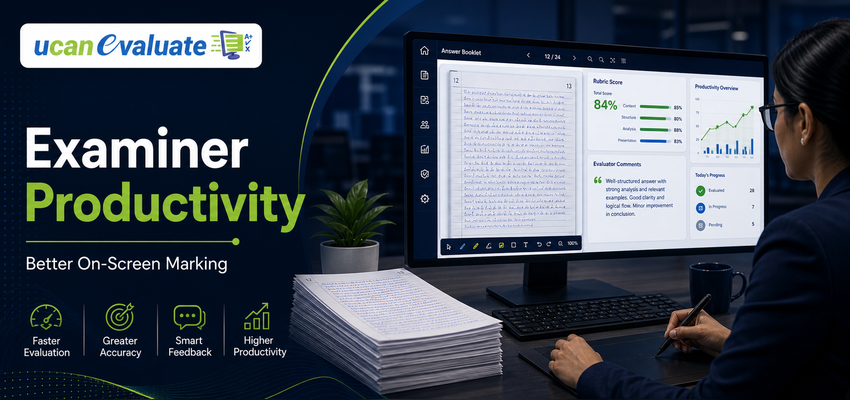
An on-screen marking system is a digital platform where scanned answer scripts are evaluated on a computer screen instead of on paper — examiners view each answer image, allocate marks against a question-wise rubric, and the system automatically totals, records, and forwards scores for moderation. Everything an examiner would normally do with a red pen and a calculator happens inside the platform, with a full audit trail attached.
Where Examiner Time Actually Goes in Paper-Based Evaluation
Before looking at the fix, it’s worth being precise about the problem. In most manual evaluation camps, an examiner’s day breaks down roughly like this:
- Sorting and allotment — receiving bundles, verifying script counts, matching subject codes
- Physical handling — flipping through booklets, locating the right question, re-reading illegible handwriting
- Manual totaling — adding marks per question, carrying totals across pages, a step responsible for a large share of post-evaluation grievances
- Travel and camp time — reaching a central evaluation venue, often losing half a day to logistics alone
- Re-work — redoing totals or re-checking scripts flagged for arithmetic mismatches during moderation
Only one of these five activities — actually reading and judging an answer — is where an examiner’s subject expertise is being used. The rest is administrative overhead that a system, not a subject expert, should be handling.
How On-Screen Marking Systems Recover That Time
1. Answer scripts arrive pre-sorted and pre-allotted
Once scripts are scanned, the system auto-allocates them to the right examiner based on subject, question paper set, and evaluator workload — no manual bundling or re-checking of allotment slips.
2. Question-wise navigation replaces page-by-page flipping
Examiners can jump directly to the question they’re evaluating across every script in a batch, rather than flipping through an entire booklet each time. For examiners marking one question across 200 scripts (a common moderation technique), this alone can cut evaluation time meaningfully.
3. Automatic totaling removes the single biggest error source
Marks entered per question are totaled by the system instantly. This removes the manual addition step that is responsible for a large share of re-evaluation requests and student grievances in paper-based exams.
4. Built-in rubrics keep marking consistent – and faster
A configured mark scheme sitting next to each answer means examiners spend less time flipping back to a printed answer key and second-guessing scoring boundaries.
5. Remote evaluation removes travel entirely
Examiners mark from their own department or home instead of a central camp, recovering the hours otherwise lost to commuting and camp logistics — often the single largest hidden time cost in paper evaluation.
6. Moderation and sample checks run in parallel, not in sequence
Instead of waiting for an entire evaluation cycle to finish before spot-checks begin, moderators can review a random sample of scored scripts as evaluation is still underway, catching inconsistencies early instead of at the very end.
7. Progress tracking keeps examiners – and administrators – accountable
Dashboards show real-time completion rates per examiner and per subject, so bottlenecks are visible on day three of a cycle, not discovered on the deadline.
Manual Evaluation vs On-Screen Marking: A Direct Comparison
| Factor | Manual (Paper-Based) Evaluation | On-Screen Marking System |
|---|---|---|
| Daily scripts per examiner | ~25–30 | ~40–50 |
| Totaling errors | Common; a leading cause of grievances | Automated; near-zero |
| Examiner location | Central evaluation camp | Anywhere with internet access |
| Moderation | Sequential, after full cycle | Parallel, ongoing |
| Result turnaround (typical cycle) | 30–45 days | 10–15 days |
| Audit trail | Limited, paper-dependent | Complete, timestamped |
| Re-evaluation handling | Physical script retrieval | Instant digital retrieval |
Should Your Institution Move to On-Screen Marking? A Quick Framework
| Ask Yourself | If Yes | If No |
|---|---|---|
| Do you evaluate 10,000+ answer scripts per cycle? | Productivity gains are significant and fast to realize | Gains still apply, at a smaller scale |
| Are examiners spread across multiple cities or campuses? | Remote marking alone justifies the switch | Less urgent, but training is easier logistically |
| Do totaling errors generate frequent re-evaluation requests? | Automated totaling directly addresses your pain point | Still worth evaluating for speed alone |
| Is result delay a recurring administrative or reputational issue? | Digital evaluation shortens your critical path | Consider a phased pilot first |
| Can your examiners access stable internet and basic devices? | You’re ready to roll out now | Plan device/connectivity support first |
A university with a majority “Yes” is a strong candidate for a full rollout. A mixed result usually points to starting with one or two high-volume departments as a pilot before scaling further.
Common Pitfalls Universities Should Avoid
| Pitfall | Why It Happens | How to Avoid It |
|---|---|---|
| Rolling out to all departments at once | Overconfidence after a good demo | Pilot with one cooperative department first |
| Skipping hands-on examiner training | Assuming the interface is “self-explanatory” | Mandatory short, role-specific training before go-live |
| Ignoring senior faculty resistance | Hoping objections fade on their own | Share pilot data on time saved; let numbers persuade |
| Poor scan quality feeding into the system | Cheapest scanner chosen over evaluation-grade output | Standardize scanner settings across all collection points |
| No parallel run before full cutover | Treating digital as a like-for-like swap | Evaluate the same scripts both ways once, to build trust |
| Under-provisioning IT support at go-live | Assuming the platform “just works” on day one | Staff a helpdesk for at least the first evaluation cycle |
The Productivity and Cost Payoff
| Metric | Paper-Based | On-Screen Marking (Year 1) |
|---|---|---|
| Scripts evaluated per examiner/day | 25–30 | 40–50 |
| Result declaration timeline | 30–45 days | 10–15 days |
| Re-evaluation requests (totaling-related) | High | Sharply reduced |
| Examiner travel cost | Recurring, per cycle | Eliminated |
| Evaluation audit trail | Manual, incomplete | Complete and instant |
Institutions working with an experienced examination technology partner typically see evaluation turnaround improve by 40–50%, without compromising accuracy or academic rigor. Digital evaluation is not just a technology upgrade — it’s the difference between a fair, on-time result and a delayed, disputed one.
Learning Spiral Ltd. has spent over 25 years working alongside Universities, Higher Education Institutes, School Boards, and Examination and Recruitment Boards across India, supporting more than 100 institutions through exactly this kind of transition — from paper-bound evaluation camps to auditable, examiner-friendly digital workflows.
Frequently Asked Questions
- Is on-screen marking legally valid for university examinations in India?
Yes. On-screen evaluation is widely adopted across Indian universities and boards, and its complete, timestamped audit trail — recording every mark entry, moderation change, and re-evaluation — generally makes it easier to respond to RTI queries and grievance cases than retrieving physical answer scripts from storage. Institutions should still align their evaluation ordinances and statutory approvals with UGC guidelines before full rollout. - How much faster is on-screen marking compared to manual checking?
Most institutions see examiner throughput rise from roughly 25–30 scripts a day on paper to 40–50 scripts a day on screen, once examiners are past their first evaluation cycle. The gain comes almost entirely from eliminated administrative overhead — sorting, totaling, and travel — not from examiners rushing their judgment. - Will senior examiners struggle with the technology?
This is the most common concern, and it is usually overstated. On-screen marking interfaces are built to mirror the paper workflow examiners already know — view the answer, enter the mark, move to the next question. A short, hands-on training session is typically enough, and most reluctant examiners report being faster on-screen within a single cycle. - How does on-screen marking reduce evaluation errors and grievances?
Automatic totaling removes the single largest source of manual evaluation errors — addition mistakes made under time pressure. Built-in rubrics next to each answer also reduce scoring inconsistency between examiners marking the same question, which is a frequent trigger for student grievances and re-evaluation requests. - Does on-screen marking fit within NEP 2020’s examination reform direction?
Yes. NEP 2020 emphasizes transparent, technology-enabled assessment and reduced administrative friction in higher education — goals that a well-implemented on-screen marking and post-examination processing workflow directly supports, alongside faster and more auditable result declaration.
Conclusion
Examiner productivity was never really about how fast a subject expert can read and judge an answer — it was about how much of their day was consumed by tasks that had nothing to do with subject expertise at all. On-screen marking systems don’t ask examiners to work faster; they remove the sorting, totaling, and travel that were slowing them down in the first place.
For a Controller of Examinations weighing this decision, the question isn’t whether digital evaluation works — it’s how deliberately you introduce it, department by department, cycle by cycle, so examiners trust the system before you scale it institution-wide.
If you’re evaluating platforms or planning a pilot for an upcoming exam cycle, Learning Spiral Ltd.’s team — with two and a half decades of experience across university and board examinations — is happy to walk through what a phased rollout could look like for your institution. Explore our digital evaluation solutions, review a case study, or book a demo to see the workflow firsthand.