This Article Covers
- What answer sheet scanning technology means
- Why scanning accuracy determines evaluation accuracy
- How answer booklet scanning works step by step
- Technical and operational quality controls
- Centralized, distributed and hybrid scanning models
- Integration with an On-Screen Evaluation System
- Common scanning mistakes and their consequences
- Implementation framework for Universities and Boards
- ROI and performance metrics
- Frequently asked questions
What Is Answer Sheet Scanning Technology?
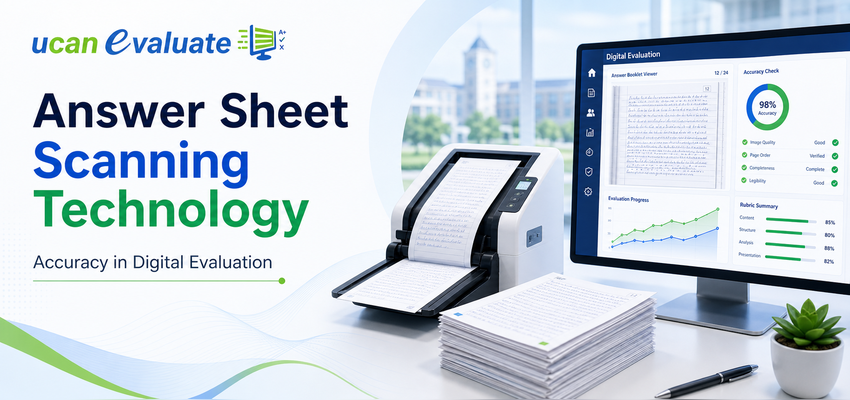
Answer sheet scanning technology is the controlled process of converting physical answer booklets into complete, readable, securely indexed digital images for evaluation through an On-Screen Evaluation System. It combines image capture, barcode or QR-based identity mapping, page-count validation, quality checks, secure storage and audit trails before scripts are released to evaluators.
Scanning of Answer Sheets is therefore not simply about producing a PDF or image file. It is about establishing a trusted digital representation of the original answer booklet while maintaining:
- Completeness
- Legibility
- Candidate confidentiality
- Correct subject mapping
- Page sequence
- Data security
- Chain of custody
- Auditability
A high-speed scanner may capture thousands of pages per hour, but speed alone does not make the process examination-ready. The true measure of success is whether every evaluator receives the correct, complete and readable answer script without an unresolved exception.
Why Scanning Accuracy Determines Evaluation Accuracy
In manual evaluation, the physical answer booklet moves directly from the examination centre to the evaluator. In an On Screen Evaluation workflow, the scanned image becomes the evaluator’s official working copy.
That makes answer booklet scanning the bridge between physical examination conduct and Digital Evaluation.
Any scanning error can travel further into the examination cycle:
| Scanning issue | Immediate impact | Downstream examination risk |
|---|---|---|
| Missing page | Part of the response is unavailable | Incomplete marking and student grievance |
| Blurred image | Handwriting or diagram is unreadable | Guesswork, delayed evaluation or rescan |
| Incorrect booklet mapping | Script reaches the wrong subject or evaluator | Confidentiality and result-processing errors |
| Duplicate page | Same response appears twice | Evaluator confusion and incorrect interpretation |
| Wrong page order | Answers appear out of sequence | Slower marking and inconsistent evaluation |
| Cropped margins | Roll number, question number or written content is cut | Identification or marking dispute |
| Excessive compression | Fine handwriting loses clarity | Evaluation quality declines |
| Incorrect blank-page detection | Written page is treated as blank | Marks may be omitted |
| Unresolved scanning exception | Defective script enters evaluation | Result delay or post-result correction |
Digital evaluation is only as reliable as the scanned answer script made available to the evaluator.
A sophisticated On Screen Marking System cannot compensate for a missing page. Similarly, a detailed marking scheme cannot improve consistency when handwriting, mathematical notation, graphs or diagrams are not captured clearly.
The Six Dimensions of Accurate Answer Booklet Scanning
Universities and Boards should assess scanning quality across six dimensions.
1. Completeness
Every expected page must be captured.
Completeness controls should verify:
- Expected booklet page count
- Actual scanned page count
- Additional sheets attached by the student
- Graph sheets, maps or supplementary pages
- Blank pages intentionally included
- Damaged, torn or folded pages
- Front and back cover pages where required
A script should not enter the Digital Evaluation System while its page count remains unresolved.
2. Legibility
The digital image must preserve everything an evaluator needs to interpret the answer.
This includes:
- Light handwriting
- Dark handwriting
- Pencil-based diagrams
- Blue or black ink
- Corrections and overwriting
- Mathematical symbols
- Superscripts and subscripts
- Graphs and geometric figures
- Stamps and invigilator remarks
For modern textual paper records, National Archives guidance uses a minimum resolution of 300 pixels per inch, with higher resolution recommended where the source contains fine details. Institutions should nevertheless conduct their own pilot using actual answer-book paper, handwriting styles, ink colours and diagrams before finalising scanning specifications. orrect Identification
The digital script must be associated with the correct:
- Examination
- Programme
- Semester or year
- Subject or paper code
- Answer-booklet number
- Examination centre
- Candidate reference
- Batch
- Evaluation scheme
Candidate identity should preferably remain masked from the evaluator while still being securely available to authorised examination administrators.
4. Correct Page Sequence
Pages must appear in the same logical order as the physical booklet.
Sequence validation becomes especially important when:
- Booklets are cut before scanning.
- Additional sheets are attached.
- Barcoded pages are used.
- Loose-leaf answer sheets are issued.
- Separate graph or drawing sheets are included.
- Pages are rescanned individually.
5. Image Integrity
The scanning process should preserve the evidentiary value of the original answer booklet.
Permitted image enhancement may include controlled:
- Deskewing
- Rotation
- Cropping of external scanner borders
- Noise removal
- Contrast balancing
- Orientation correction
However, enhancement should never remove faint handwriting, alter written content or make the image materially different from the physical booklet.
Where possible, institutions should retain an original master image and generate a separate optimised copy for evaluator viewing.
FADGI digitisation guidance emphasises capturing the complete document area and combining technical specifications with testing and monitoring systems. Although developed for cultural and archival materials, the underlying principle is relevant to examination scanning: image quality must be verified through a repeatable quality-assurance process, not assumed from scanner settings alone. raceability
Every significant action should create a time-stamped audit record.
The system should record:
- When the booklet was received
- Who handled the bundle
- When it was scanned
- Which workstation or device was used
- Whether it passed automated validation
- Who performed manual quality checks
- Whether any page was rescanned
- Why the rescan was required
- When the script was uploaded
- When it was released for evaluation
- Whether it was reopened during moderation or revaluation
Traceability protects both the institution and the student when an evaluation decision is questioned.
How Answer Sheet Scanning Works: A Step-by-Step Process
Step 1: Configure Examination Master Data
Before scanning begins, the University Examination System should contain validated master data for:
- Examination session
- Programme and course
- Semester
- Subject code
- Paper type
- Booklet structure
- Expected page count
- Examination centre
- Candidate registration
- Evaluation scheme
- Barcode or QR-code format
Incorrect master data can produce perfect images that are mapped to the wrong examination record.
Step 2: Generate and Apply Unique Identifiers
Each booklet should receive a unique identifier.
Depending on the institution’s process, this may be:
- Pre-printed barcode
- Pre-printed QR code
- Booklet serial number
- Candidate-specific label
- Anonymous evaluation code
- Dynamically generated batch code
The identifier should be unique, machine-readable and resistant to duplication.
Where anonymity is required, the evaluator-facing code should not reveal the student’s roll number, name, institution or examination centre.
Step 3: Receive and Reconcile Physical Booklets
Before scanning, examination staff should reconcile received bundles against:
- Centre-wise attendance
- Absentee statements
- Subject-wise packet counts
- Booklet serial-number ranges
- Malpractice or unfair-means cases
- Cancelled booklets
- Damaged booklets
- Late or special-case submissions
This is the first control point in Post Examination Processing.
Scanning should not begin with unidentified or unreconciled bundles merely to maintain production speed.
Step 4: Prepare Booklets for Scanning
Preparation may involve:
- Removing pins, threads or seals where permitted
- Flattening folded corners
- Separating stuck pages
- Checking additional sheets
- Repairing minor tears
- Confirming page orientation
- Sorting by subject or batch
- Recording damaged-booklet exceptions
Where booklets are cut, the institution must establish additional controls for page sequence, loose-sheet handling and physical reconstruction.
Non-destructive scanning reduces the risk of loose-page mixing but may require specialised equipment or a different production model.
Step 5: Capture Digital Images
The scanner or capture application converts each page into an image.
The capture configuration should be based on:
- Paper size
- Paper colour
- Printed background
- Ink type
- Handwriting density
- Diagrams and graphs
- Booklet binding
- Expected daily volume
- Evaluator-screen requirements
- Network and storage capacity
A sample representing different handwriting, subjects, ink colours and booklet conditions should be tested before production.
Step 6: Run Automated Image Validation
Automated checks may identify:
- Missing pages
- Duplicate pages
- Blank pages
- Excessively dark or light images
- Skewed pages
- Cropped content
- Incorrect orientation
- Unreadable barcode or QR code
- Page-count mismatch
- File corruption
- Unexpected file size
- Sequence mismatch
Automation should prioritise exceptions for human review rather than silently rejecting or modifying a page.
Step 7: Perform Human Quality Control
Human quality controllers should review exception cases and a controlled sample of scripts that passed automated checks.
They should confirm:
- Written content is readable.
- Every page is present.
- Page order is correct.
- Additional sheets are included.
- Candidate information is appropriately masked.
- Booklet and subject mapping are correct.
- Image enhancement has not removed content.
- The script is fit for evaluator viewing.
Quality control should occur before the script is released for On-Screen Marking.
Step 8: Encrypt, Upload and Index Scripts
Validated images should be securely transmitted to the On Screen Evaluation System.
The upload process should verify:
- File completeness
- Checksum or integrity validation
- Correct metadata
- Successful server receipt
- Secure storage location
- Access permissions
- Backup replication
- Batch-level reconciliation
A script should not be marked “available for evaluation” merely because an upload request was initiated.
Step 9: Release Scripts for Evaluation
The system can then allocate scripts based on predefined rules such as:
- Subject expertise
- Evaluator availability
- Maximum script allocation
- Geographical restrictions
- Conflict-of-interest rules
- Evaluation-centre assignment
- Seniority or moderation role
- Language preference
Evaluators access the digital script through an On Screen Marking System without physically transporting answer booklets.
Step 10: Retain Images for Moderation and Revaluation
After initial evaluation, the images may support:
- Review by head examiners
- Sample moderation
- Mark variation analysis
- Revaluation
- Scrutiny
- Grievance investigation
- Audit
- Court or regulatory requirements
- Student answer-script access, where institutional policy permits
Retention periods should be aligned with the institution’s ordinance, records policy and applicable regulatory requirements.
Centralised, Distributed or Hybrid Scanning: Which Model Fits Your Institution?
There is no single scanning model suitable for every University or Board.
| Scanning model | Best suited for | Advantages | Key risks | Essential controls |
| Centralised scanning | Institutions with one secure examination hub | Strong supervision, standard equipment and easier QC | Physical transport delays and concentration risk | Secure logistics, backup site and capacity planning |
| Regional scanning centres | State-wide Universities or Boards | Lower transport distance and faster regional processing | Variation between centres | Common SOPs, calibration, dashboards and central audit |
| Examination-centre scanning | Large distributed examinations | Faster digitisation near source | Device, network and staff inconsistency | Locked configuration, training, real-time validation and remote monitoring |
| Mobile or app-based scanning | Flexible and rapid deployments | Low dependence on fixed infrastructure | Camera quality, lighting and operator variation | Device certification, guided capture and mandatory QC |
| Hybrid model | Institutions with varied subjects or locations | Allows each booklet type to use the appropriate method | Operational complexity | Unified indexing, central reconciliation and one audit framework |
A Practical Decision Framework
Before choosing a model, ask:
- How many booklets and pages will be generated per examination cycle?
- How quickly must evaluation begin after each paper?
- Are booklets transported across districts or states?
- Can booklets be cut, or must scanning be non-destructive?
- Are diagrams, graphs, maps or coloured responses common?
- Is reliable internet available at scanning locations?
- How many trained operators can be deployed?
- What is the acceptable recovery time after equipment or connectivity failure?
- How will the institution verify that every received booklet was scanned?
- Who owns final authority for releasing a script to evaluators?
The right answer may be a hybrid model rather than a single hardware configuration.
Technical Requirements for Examination-Grade Scanning
Resolution
A 300 ppi capture is a useful starting baseline for normal handwritten textual material, but the final setting should be based on pilot evidence.
Higher resolution may be needed for:
- Engineering drawings
- Fine graphs
- Light pencil work
- Mathematical notation
- Poor-quality paper
- Faint carbon copies
- Small handwriting
- Detailed maps
Higher resolution also increases file size, upload time, storage requirements and evaluator-screen loading time. The objective is not the highest possible resolution; it is the lowest resolution that reliably preserves all evaluation-relevant information.
Colour Mode
Institutions may use:
- Bitonal scanning for simple black-and-white content
- Grayscale for handwriting and tonal detail
- Colour capture where ink colour, diagrams, highlights or annotations matter
A pilot should determine whether grayscale loses information present in the original booklet.
Compression
Excessive image compression can make fine handwriting and symbols unclear.
A good architecture may retain:
- A high-quality master image
- A secure evaluation derivative optimised for screen viewing
- Thumbnail or preview images for administrative dashboards
File and Naming Structure
File naming should not depend on manually typed candidate information.
A better structure uses system-generated identifiers connected to metadata fields such as:
- Examination ID
- Subject ID
- Booklet ID
- Page number
- Scan batch
- Version number
- Rescan status
Barcode and QR-Code Placement
Machine-readable identifiers should:
- Remain visible after booklet preparation
- Avoid areas where students write
- Have adequate contrast
- Be protected from folding and stapling
- Be unique across examination cycles
- Include validation rules
- Be tested using actual production devices
Network and Storage Planning
Scanning infrastructure must be sized for peak production, not average use.
Capacity planning should consider:
- Pages scanned per hour
- Average file size per page
- Concurrent scanning stations
- Daily operating hours
- Upload bandwidth
- Temporary local storage
- Central storage
- Backup copies
- Disaster-recovery replication
- Image-retention period
- Revaluation and audit access
How Scanning Connects with an On-Screen Evaluation System
Answer booklet scanning is one part of a wider Examination Processing ecosystem.
Pre Examination Processing
Pre Examination Processing establishes the data that later controls scanning and evaluation:
- Candidate registration
- Subject selection
- Examination-form processing
- Centre allocation
- Roll-number generation
- Admit-card generation
- Booklet or barcode planning
- Evaluator-panel preparation
A mismatch introduced during Pre Examination Processing may become a scanning or result-processing exception later.
Question Bank Management
Question Bank Management is operationally separate from scanning but connected to evaluation design.
A structured question bank can support:
- Question-wise marking schemes
- Model answers
- Difficulty classification
- Learning-outcome mapping
- Rubric creation
- Moderation instructions
- Secure question-paper generation
These structures can later be displayed inside the On-Screen Evaluation System to improve evaluator consistency.
Digital Evaluation
After scanning, a Digital Evaluation System can provide:
- Anonymous script allocation
- Question-wise navigation
- Digital annotations
- Marking schemes
- Mandatory marking controls
- Automatic total calculation
- Evaluator progress monitoring
- Head-examiner review
- Moderation
- Mark variation analysis
- Revaluation
- Complete audit logs
The combination of accurate scanning and a controlled On Screen Marking System is what creates a dependable evaluation workflow.
Post Examination Processing
Once marking is completed, Post Examination Processing may include:
- Mark transfer
- Internal and external mark consolidation
- Grace-mark rules
- Moderation
- Result computation
- Result approval
- Publication
- Mark-sheet generation
- Revaluation
- Supplementary examination processing
- Academic-record integration
The Digital Evaluation System should integrate with the University Management System rather than relying on uncontrolled spreadsheet exports.
Manual Evaluation vs Scanning-Enabled Digital Evaluation
| Evaluation area | Traditional manual process | Scanning-enabled Digital Evaluation |
| Script movement | Physical transport to evaluators | Secure digital allocation |
| Candidate confidentiality | Depends on physical masking | Identity can be system-masked |
| Page completeness check | Primarily manual | Automated and manual validation |
| Evaluator allocation | Bundle-based | Rule-based and trackable |
| Mark totals | Manually calculated | Automatically validated |
| Unmarked answers | May be discovered late | System can enforce question-level checks |
| Monitoring | Limited until bundles return | Near-real-time dashboards |
| Moderation | Physical movement required | Remote, controlled review |
| Revaluation | Booklet retrieval required | Authorised digital access |
| Audit trail | Registers and signatures | Time-stamped activity logs |
| Result integration | Manual data entry may be required | System-based mark transfer |
| Grievance investigation | Slow physical search | Faster script and activity retrieval |
| Disaster recovery | Dependent on physical records | Backup and replication possible |
| Evaluator location | Usually fixed | Controlled distributed evaluation possible |
An Online Examination System or Online Exam Solution may eliminate paper for selected assessments. However, Universities still conducting descriptive, handwritten examinations can modernise evaluation without forcing an immediate shift to fully online exams.
That makes answer booklet scanning a practical transition path between paper-based examination conduct and digital Examination Processing.
Quality Controls That Should Be Mandatory
Preventive Controls
Preventive controls reduce the chance of errors entering the workflow.
Examples include:
- Standardised answer-booklet design
- Pre-printed page numbers
- Unique barcodes
- Approved scanner configuration
- Operator authentication
- Subject-wise batch creation
- Equipment calibration
- Training and certification
- Restricted access to scanning areas
- Dual control for confidential processes
Detective Controls
Detective controls identify errors after capture but before evaluation.
Examples include:
- Expected-versus-actual page count
- Barcode validation
- Blank-page detection
- Image-quality scoring
- Duplicate detection
- Orientation checks
- Random sampling
- Batch reconciliation
- Manual exception review
- Upload-integrity confirmation
Corrective Controls
Corrective controls define what happens after an issue is found.
Examples include:
- Controlled rescanning
- Reason-code selection
- Supervisor approval
- Version management
- Replacement of defective image
- Reconciliation with the physical booklet
- Audit-log creation
- Evaluator notification where necessary
- Batch reopening under authorisation
A correction should never silently overwrite the original scan without preserving its history.
Metrics Controllers of Examinations Should Monitor
A scanning dashboard should report more than the number of pages processed.
| Metric | What it reveals | Recommended interpretation |
| Booklets received vs expected | Physical reconciliation status | All differences must be explained |
| Booklets scanned vs received | Production completeness | No booklet should remain untracked |
| Pages expected vs captured | Page-level completeness | Missing-page exceptions require resolution |
| First-pass acceptance rate | Capture quality | Falling rates indicate equipment or training issues |
| Rescan rate | Operational quality | Analyse by operator, device, subject and centre |
| Barcode rejection rate | Identification reliability | High rates may indicate printing or placement problems |
| Incorrect mapping cases | Master-data or process failure | Must be resolved before evaluation |
| Average scan-to-release time | Workflow efficiency | Shows whether QC or upload is causing delays |
| Evaluator image complaints | User-side quality experience | Categorise by blur, crop, sequence or missing page |
| Unresolved exceptions | Examination risk | Critical exceptions should be zero before result processing |
| Scanning-related grievances | Student impact | Track across cycles and root causes |
| System availability | Operational resilience | Review downtime during peak periods |
Common Mistakes Universities Make During the Transition
| Common mistake | Why it happens | Consequence | Better approach |
| Treating scanning as a hardware purchase | Focus remains on scanner speed and price | Weak reconciliation, QC and security | Design the complete process before selecting equipment |
| Starting without a representative pilot | Testing uses only clean sample pages | Production failures with real handwriting and damaged booklets | Pilot across subjects, centres and booklet conditions |
| Ignoring additional sheets | Standard booklet page count is assumed | Student responses may be missed | Create supplementary-sheet identification and reconciliation |
| Using manual file names | Staff type roll numbers or subject codes | Incorrect mapping and confidentiality risk | Use system-generated identifiers |
| Applying aggressive image enhancement | Attempt to improve readability automatically | Faint writing may disappear | Preserve a master image and validate enhancement settings |
| Releasing scripts before QC | Evaluation teams are waiting | Defective images reach evaluators | Use a controlled release gate |
| Measuring only pages per hour | Throughput becomes the only KPI | Quality defects remain hidden | Track completeness, rejection, rescan and complaints |
| Insufficient operator training | Scanning is considered routine clerical work | Inconsistent capture and exception handling | Train operators on examination-specific risks |
| No capacity for peak days | Planning uses average volumes | Backlogs delay evaluation | Model peak paper schedules and concurrent workloads |
| Weak barcode governance | Codes are duplicated or damaged | Scripts map incorrectly | Use uniqueness validation and controlled printing |
| No disaster-recovery plan | Dependence on one centre or server | Scanning or evaluation stops after failure | Build backup equipment, storage and recovery procedures |
| Mixing physical and digital exceptions | Separate teams maintain different registers | Booklet status becomes unclear | Maintain one authoritative exception dashboard |
| Deleting images too early | Storage cost is prioritised | Revaluation or audit becomes difficult | Apply an approved retention policy |
| Selecting a platform without integration | Scanning, marking and results operate separately | Repeated exports and manual reconciliation | Integrate with the University Examination System |
A Five-Phase Implementation Framework
Phase 1: Governance and Requirement Definition
Create a steering group involving:
- Controller of Examinations
- Registrar
- Examination operations team
- IT department
- Finance or procurement
- Academic representatives
- Information security
- Legal or compliance team
- Evaluation coordinators
Define:
- Scope
- Examination types
- Volume
- Turnaround requirements
- Security controls
- Retention policy
- Integration requirements
- Grievance process
- Success metrics
- Approval authority
Phase 2: Controlled Pilot
The pilot should use real or realistically anonymised answer-booklet samples.
Include:
- Different subjects
- Light and dark handwriting
- Pencil diagrams
- Additional sheets
- Damaged booklets
- Multiple scanning devices
- Different network conditions
- Barcode exceptions
- Rescanning scenarios
- Evaluator feedback
The pilot should validate the complete chain from physical booklet receipt to mark transfer—not only image capture.
Phase 3: Operational Readiness
Before going live, confirm:
- Infrastructure installation
- Device testing
- User creation
- Role-based permissions
- Master-data verification
- SOP approval
- Staff training
- Mock production run
- Backup connectivity
- Storage capacity
- Helpdesk structure
- Escalation matrix
- Disaster-recovery readiness
Phase 4: Controlled Production Rollout
Begin with a manageable set of:
- Subjects
- Examination centres
- Programmes
- Scanning stations
- Evaluators
Monitor daily:
- Throughput
- Quality
- Exceptions
- Evaluator complaints
- Infrastructure performance
- Reconciliation status
Expand only after initial batches meet the agreed acceptance criteria.
Phase 5: Scale and Continuous Improvement
After the first cycle:
- Compare actual results with baseline metrics.
- Analyse every rescan and mapping exception.
- Review evaluator feedback.
- Review student grievances.
- Identify delays between scanning, QC and evaluation.
- Adjust booklet design where necessary.
- Improve operator training.
- Refine automated quality rules.
- Update capacity forecasts.
- Document lessons before the next examination cycle.
Building the Business Case: ROI Beyond Scanner Speed
The ROI of answer sheet scanning should not be calculated only as the cost of a scanner divided by the number of pages processed.
The wider business case includes:
- Lower physical movement of answer scripts
- Faster evaluator allocation
- Reduced evaluator waiting time
- Lower manual mark-entry effort
- Faster moderation
- Better monitoring
- Reduced recounting and totaling errors
- Faster revaluation
- Shorter grievance-resolution time
- Lower administrative effort
- Better disaster recovery
- Faster result declaration
- Improved student trust
ROI Measurement Framework
| Value area | Baseline measurement | Post-implementation measurement |
| Evaluation turnaround | Days from examination to marking completion | Days after scanning-enabled evaluation |
| Result turnaround | Days from last paper to result publication | Revised result cycle |
| Logistics | Cost of secure transport and bundle handling | Remaining physical-logistics cost |
| Mark entry | Staff hours spent entering marks | Automated or integrated transfer effort |
| Evaluator productivity | Scripts evaluated per day | Scripts completed through digital allocation |
| Revaluation | Time to locate and review a script | Time to authorise and review the digital script |
| Grievances | Number and type of evaluation complaints | Scanning and marking-related grievance trend |
| Administrative monitoring | Manual reports and phone follow-ups | Dashboard-based monitoring |
| Error correction | Time spent correcting totals or mappings | Exceptions identified before result publication |
| Continuity | Recovery capability after disruption | Measured recovery time and backup success |
A useful institutional formula is:
Annual Operational Value = Logistics Savings + Administrative Time Saved + Evaluator Productivity Gains + Avoided Error-Correction Cost + Grievance-Handling Savings + Value of Faster Results
Not every benefit needs to be converted into money. Examination integrity, fairness and traceability are institutional outcomes in their own right.
How Answer Sheet Scanning Supports NEP-Aligned Examination Reform
NEP 2020 encourages the wider use of technology, institutional transformation and improved approaches to assessment. It also envisions assessment systems that focus more strongly on learning outcomes, competency and continuous improvement. heet scanning does not create assessment reform by itself. However, it provides the digital foundation needed to implement:
- Rubric-based evaluation
- Question-level analysis
- Learning-outcome mapping
- Moderation workflows
- Evaluator performance analysis
- Faster feedback
- Revaluation transparency
- Examination analytics
- Integration with academic records
- Controlled access to answer scripts
When linked with Question Bank Management, On Screen Evaluation and Post Examination Processing, scanned scripts can support more evidence-based academic decision-making.
When Is an Institution Ready for Answer Sheet Scanning?
An institution is ready when it can answer “yes” to most of the following questions:
- Do we know our exact booklet and page volumes?
- Is examination master data reliable?
- Are booklet identifiers unique?
- Can we reconcile scripts centre-wise and subject-wise?
- Is there an approved quality-control process?
- Is there a documented exception workflow?
- Can we securely store and back up digital scripts?
- Is evaluator access role-based?
- Can the system integrate with result processing?
- Do we have a revaluation and retention policy?
- Have operators and administrators completed a pilot?
- Can we recover after equipment, connectivity or server failure?
Where several answers are “no,” the institution should strengthen its process before attempting a full-scale rollout.
Frequently Asked Questions
1. Is On-Screen Evaluation legally valid for university examinations?
On-Screen Evaluation is a method of evaluation, but its institutional validity depends on the University or Board’s statutes, ordinances, approved examination regulations, evaluator-authorisation process, records policy and applicable regulatory guidance. The institution should formally approve the workflow, define audit and retention requirements, and ensure that scanned scripts remain accessible for moderation, revaluation and grievance handling.
UGC resources include guidance on evaluation reforms, but every institution should map its implementation to the regulations applicable to its examination type and jurisdiction. ow long does scanning and Digital Evaluation take for one lakh answer scripts?
There is no reliable universal timeline because one lakh scripts may contain very different page counts and booklet structures.
The institution should estimate:
Total Pages ÷ Effective Pages Scanned per Hour ÷ Concurrent Scanning Stations
Then add time for:
- Booklet preparation
- Reconciliation
- Quality control
- Rescanning
- Upload
- Evaluator allocation
- Marking
- Moderation
- Result processing
A pilot using actual booklets provides a more accurate estimate than the scanner manufacturer’s maximum speed.
3. What scanning resolution is suitable for answer booklets?
A minimum baseline of approximately 300 ppi is commonly used for textual documents, but answer scripts containing light handwriting, pencil diagrams, graphs or small mathematical notation may require higher-quality capture. Institutions should test resolution, colour mode and compression using actual answer-book samples before production. ow can a University prevent missing pages during answer booklet scanning?
Universities should combine:
- Pre-printed page numbers
- Expected page-count validation
- Barcode or QR-based booklet identification
- Additional-sheet tracking
- Blank-page detection
- Automated sequence checks
- Human quality control
- Controlled rescanning
- Batch-level reconciliation
- A release gate before evaluation
No script with an unresolved page-count mismatch should be allocated to an evaluator.
5. Can scanned answer sheets support revaluation and student grievances?
Yes, provided the institution has an approved process for retention, authorised access, revaluation and disclosure. A Digital Evaluation System can make it easier to retrieve the exact script, compare marking activity, review annotations, verify totals and reconstruct the evaluation timeline.
The original physical booklet should still be retained for the period required under the institution’s policy or applicable regulations.
Scanning Is an Examination Control, Not a Back-Office Task
Answer Sheet Scanning Technology is often described as the first step in On-Screen Evaluation. Operationally, it is much more important than that.
It creates the digital evidence on which evaluation, moderation, revaluation, results and student grievances may depend.
The institution must therefore evaluate a scanning solution based on:
- Completeness
- Readability
- Identification accuracy
- Page sequencing
- Security
- Exception management
- Integration
- Auditability
- Operational resilience
- Performance at peak scale
The strongest implementation does not begin with a scanner catalogue. It begins with examination regulations, booklet design, master data, reconciliation, quality controls and the desired result timeline.
With more than 25 years of examination-domain experience and work across 100+ Universities and Boards, Learning Spiral Ltd. approaches answer booklet scanning as part of a complete examination lifecycle—from Pre Examination Processing and secure scanning to On Screen Marking, Post Examination Processing and result declaration. ions planning to reduce evaluation delays, improve traceability or strengthen result accuracy can explore a structured Digital Evaluation roadmap before committing to a full-scale transition.